← All chapters · Larry Seyer Drums
Chapter 17 · Beta tester guide
How to Report Problems
Temporary quick-start for TestFlight testers until the tutorial videos are ready.
If something is wrong, confusing, or different from this guide, I want to hear it. This beta is how we find those things before the tutorial videos — and the release — are finished.
Please send feedback by Monday, December 7.
How to send a report
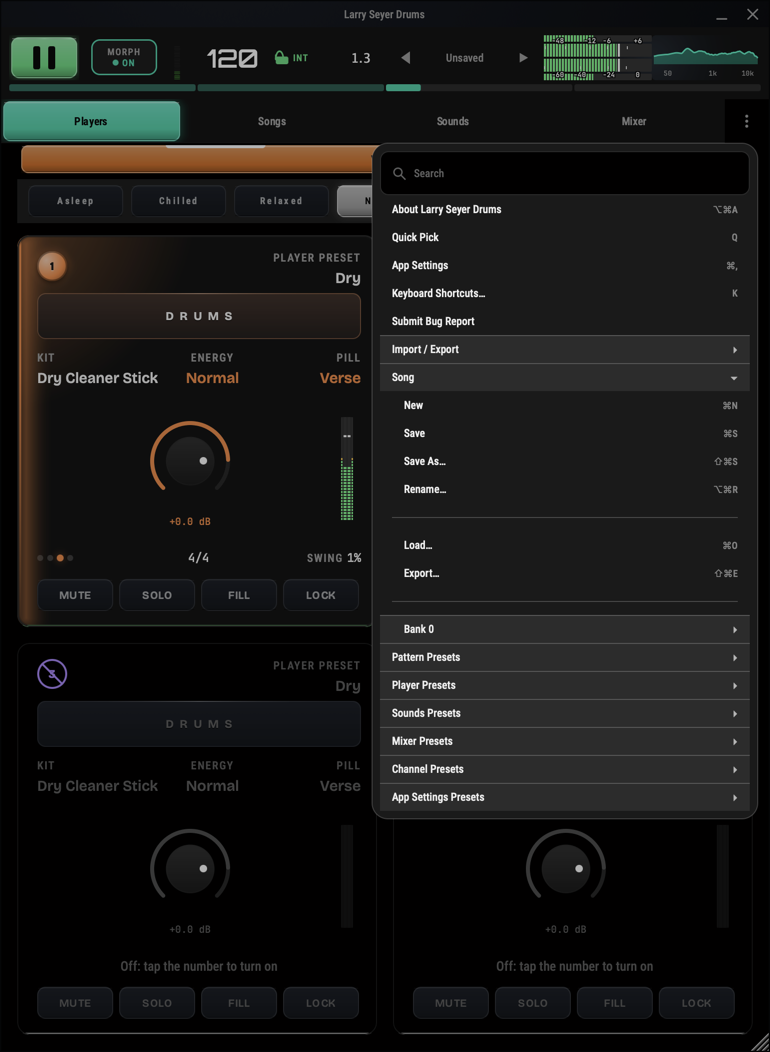
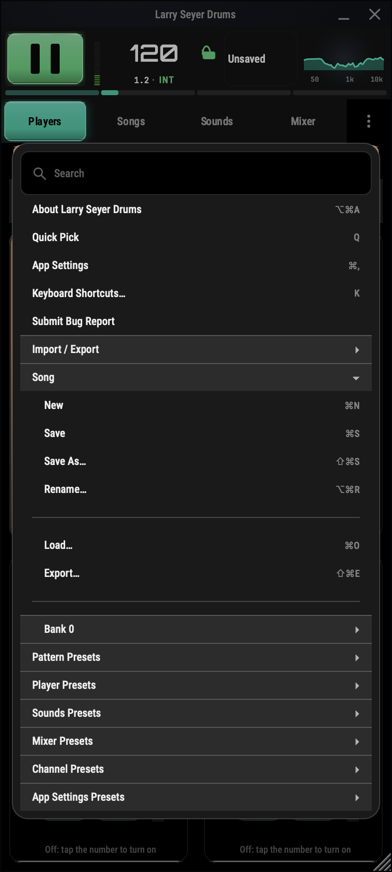
Please send bug reports with Submit Bug Report in the app’s three-dot menu.
On Mac and iPad
On iPhone
If you can’t use that, the contact form on my website is a backup:
larryseyer.com/pages/connect.html#contact
That form goes straight to my inbox. Please put “Larry Seyer Drums beta” in the message so I can find it quickly.
What to include
The more of this you can give me, the faster I can reproduce it:
- What you were trying to do, in one or two sentences.
- What happened, and what you expected instead.
- Where you were: standalone app, or a plug-in inside a host. If it was a host, the host’s name and version, and the plug-in format (in this beta that’s AUv3).
- The device and system: for example “iPhone 15, iOS 18.x” or “Mac, macOS 15.x, this processor.”
- Larry Seyer Drums version (this TestFlight build, as shown in About — it will look like 0.97.x, with the last number going up on each bug-fix build).
- Steps to reproduce, starting from Quick Pick when you can. Pretty Shuffle with Dry is a helpful starting point because I’ll try it the same way.
- A screenshot or a short screen recording if the problem is visual or musical. If there was a message on screen, include the exact wording (“Not enough power,” “Simple Comp is running…,” and so on).
- Whether it happens every time, or only once in a while.
- Anything you already tried (Rescan Outputs, reloading the plug-in, a different buffer size, another output device).
If the app dropped audio, note what the DSP load meter was doing, which effects were on, and how many players were playing.
If the problem is “no sound,” walk through the “No sound?” checklist first and tell me which step didn’t fix it.
What is probably not a new bug
Please still write in if you’re unsure — I’d rather have a duplicate than a miss — but check Known Gaps in This Beta first. In particular, the Force Multi-Out rescan/reload step, Auto staying stereo in a plug-in, device-power messages, and features listed as not in this build are already known.
Thank you
Pat Mastelotto played the drums in the complete Larry Seyer Acoustic Drum Library, and I recorded them. You’re hearing that work, and you’re helping me make the instrument around it solid. I’m grateful you’re here for the beta.
The tutorial videos will take over from this guide when they’re ready. Until then, this is the map.